Dangerous goods handling for air cargo
Dangerous goods, from declaration to NOTOC
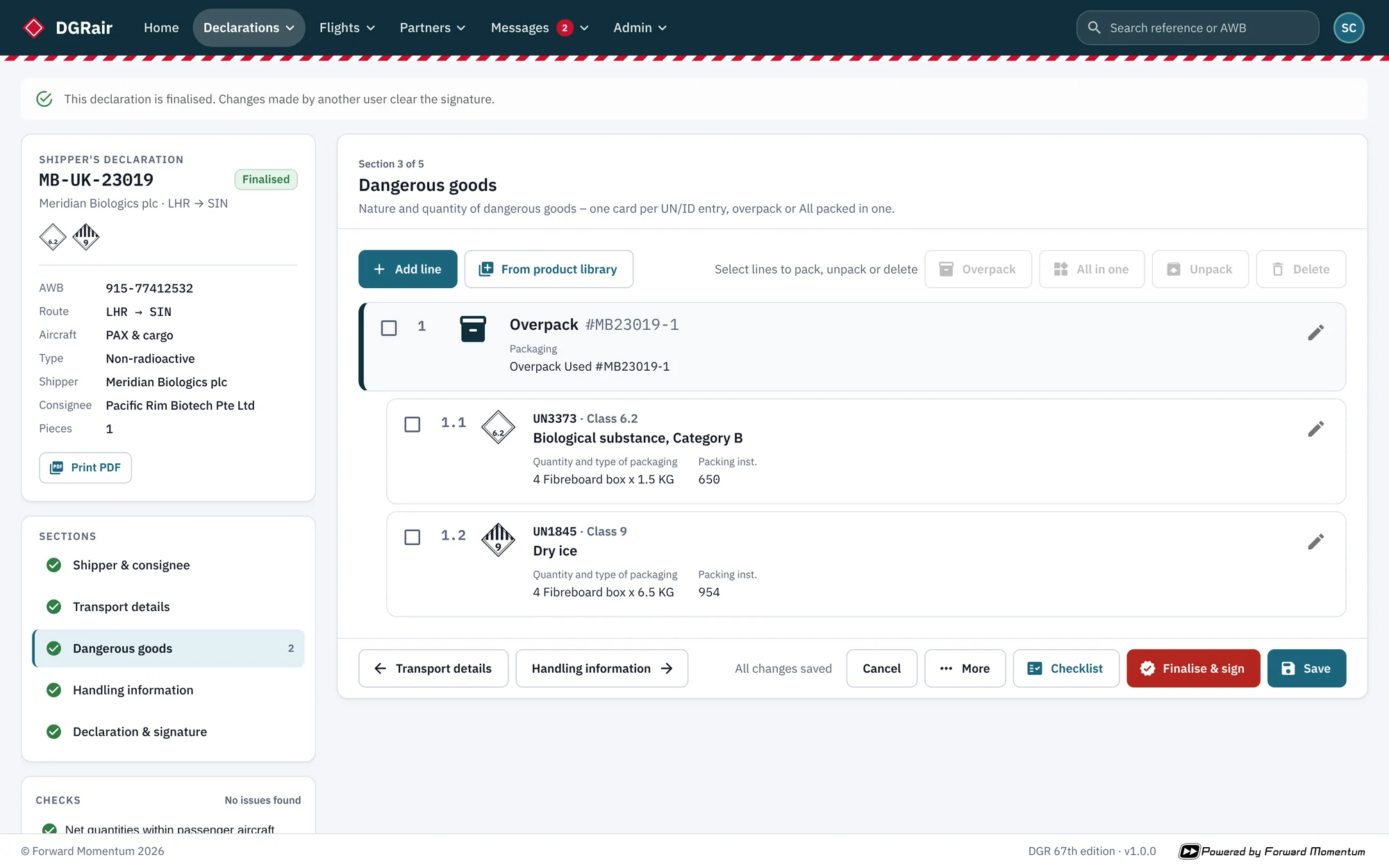
DGRair takes dangerous goods shipments from the Shipper's Declaration through acceptance checks to the NOTOC, re-using the same data at every step so nothing is keyed twice.
Who it's for
One set of data, from shipper to airline
Each party in the chain works on the same declaration, so details entered once are checked, accepted and loaded without being typed again.
Shippers
Create correct Shipper's Declarations and share them with your forwarder before the cargo leaves.
For ShippersForwarders
Receive the shipper's data, add the transport details and check it against your carrier's rules.
For ForwardersGround handlers
Run documentary and physical acceptance checks, then build and send the NOTOC.
For GHAsCarriers
Have your special provisions and checklists applied before the shipment reaches the aircraft.
For CarriersKey capabilities
What DGRair does for your team.
1Receive
Receive Shipper's Declarations (DGSDs) electronically for checks before the cargo arrives, or scan paper declarations straight in.
2Accept
Automatic documentary checks against current regulations and airline special provisions, before the shipment reaches the acceptance desk.
3Check
Physical acceptance checks on iOS and Android tablets, with a printable checklist record. The checklist is built automatically from the declaration, so each UN number brings in exactly the checks it needs.
4NOTOC
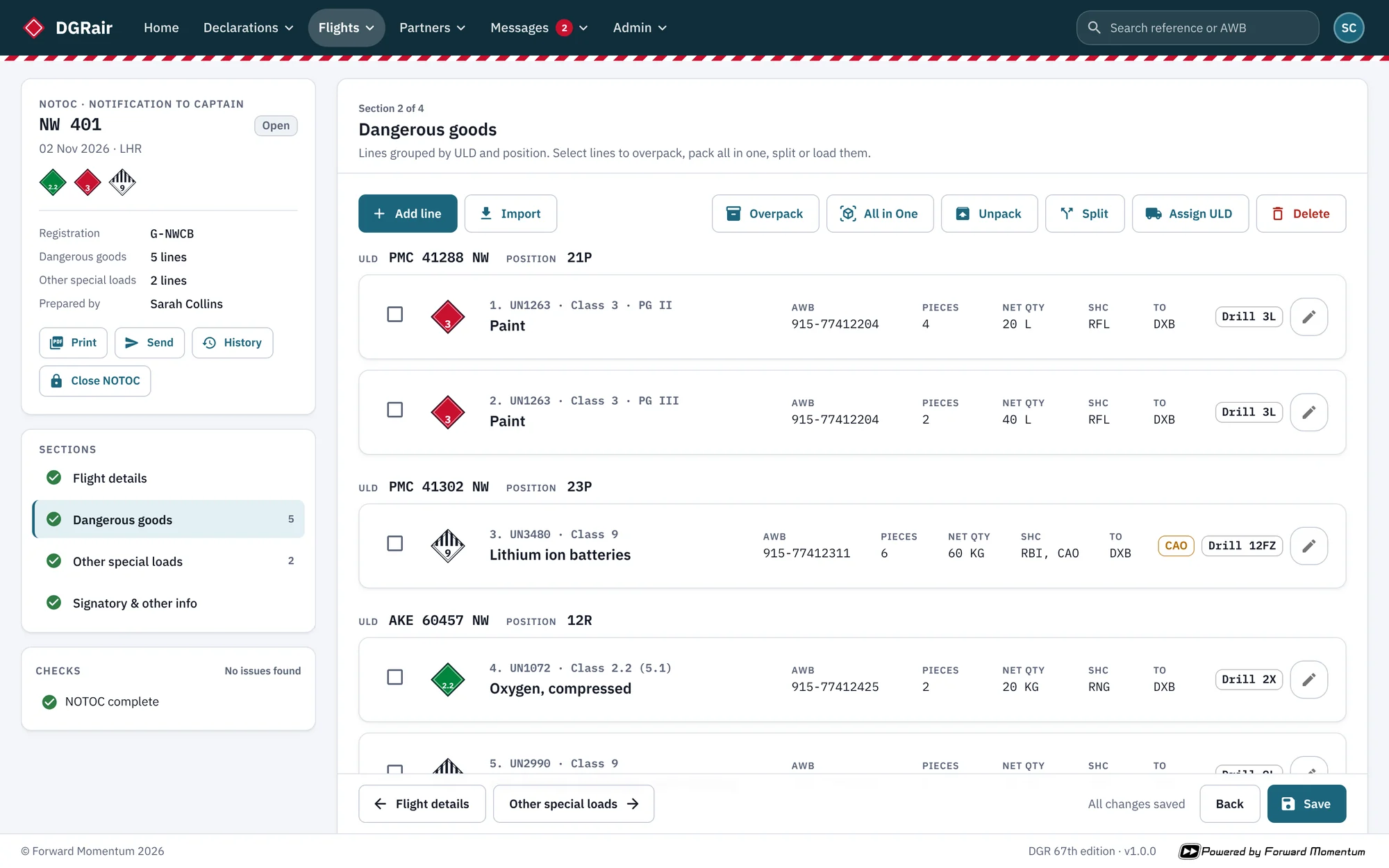
Build the NOTOC from accepted declarations, combine inbound NOTOCs, or create one independently, and send it to departure control.
Road (ADR)
Produce the ADR transport document for European road dispatch and check the load is legal under the ADR points system.
e-Freight ready
Sends and receives dangerous goods messages electronically, so data flows from shipper to airline without re-keying.
Acceptance on the tablet
The checklist goes to the cargo
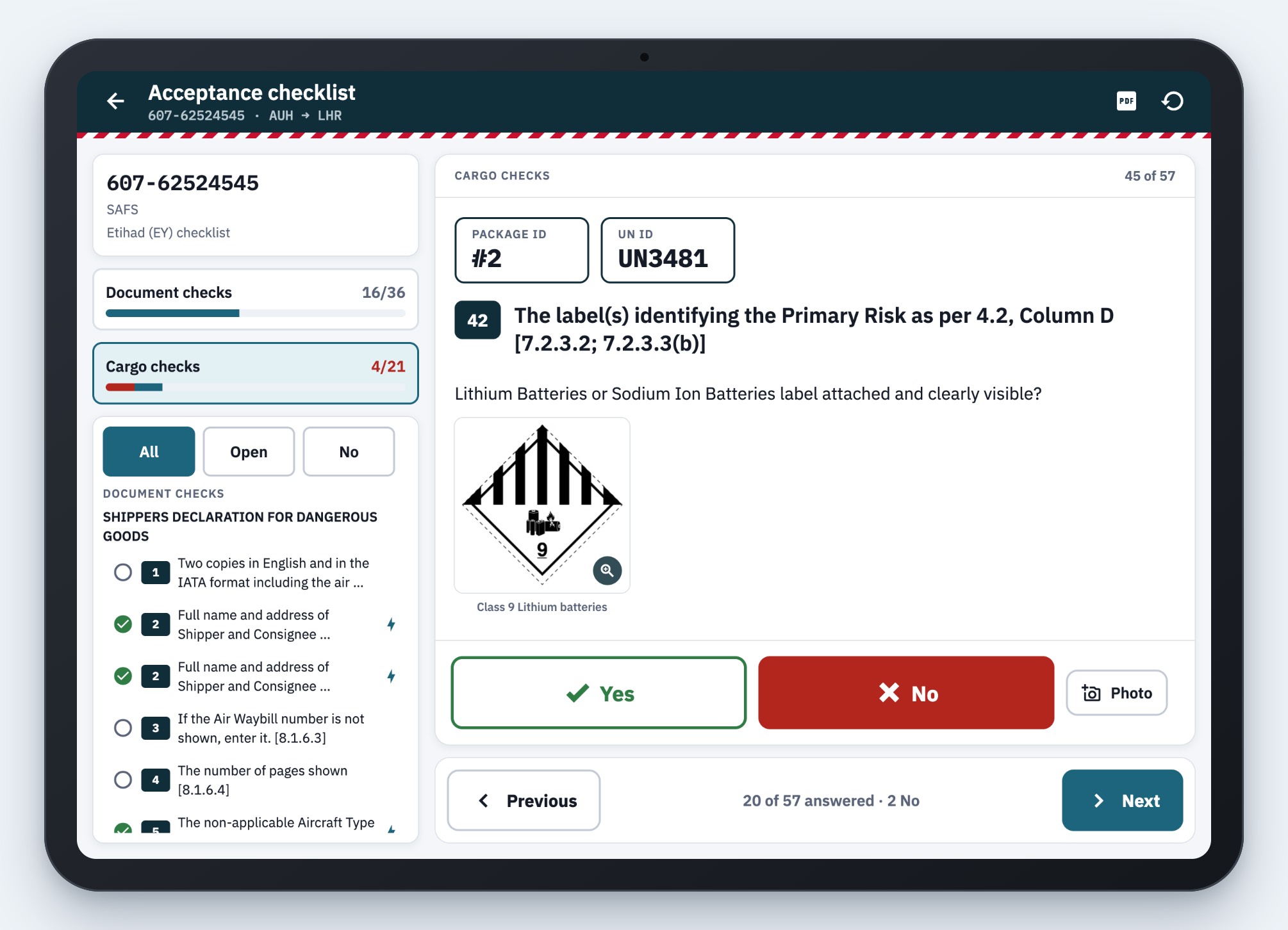
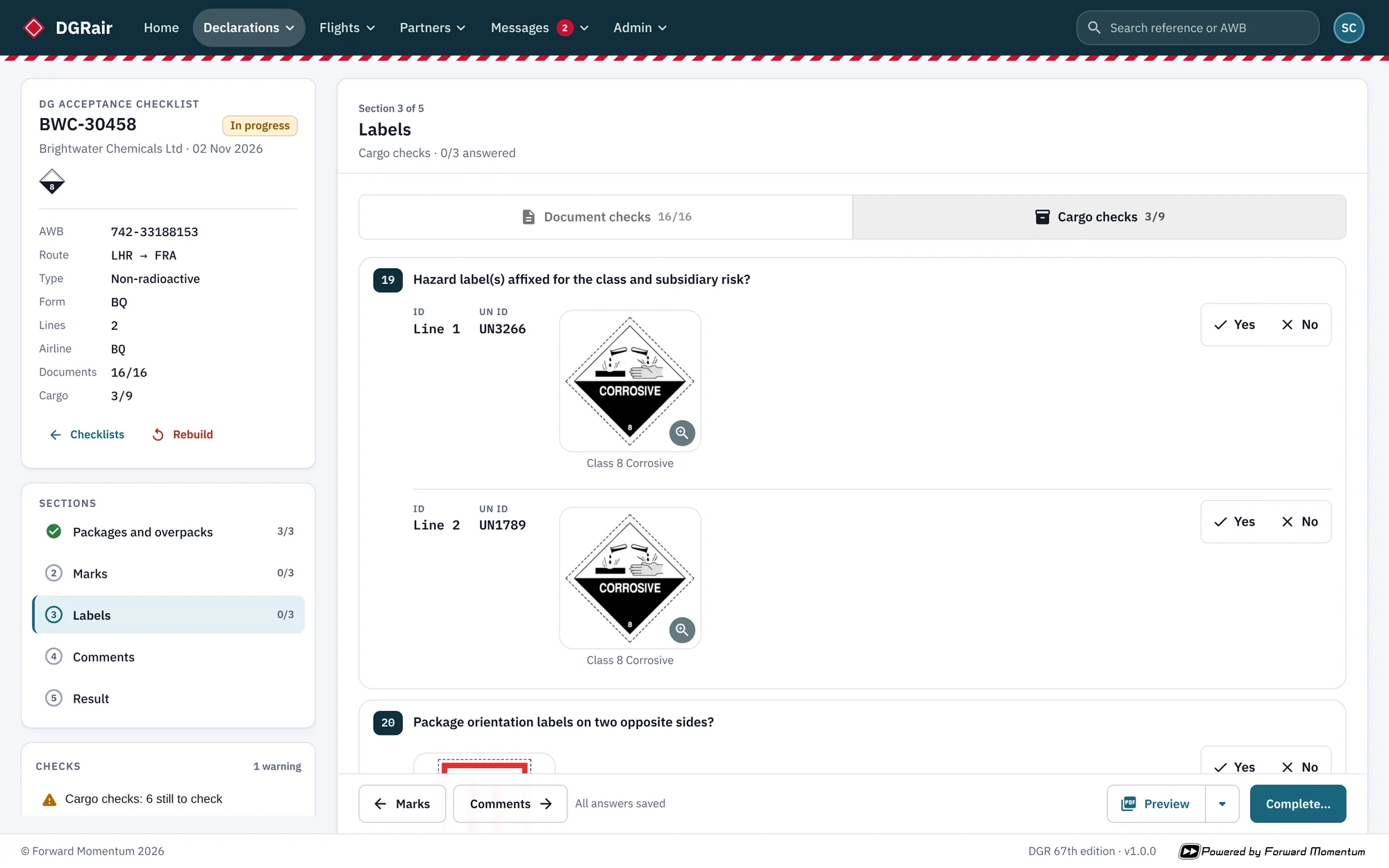
DGRair builds the document and cargo checklists automatically from the declaration. Each line's UN number, class, packing group and packing instruction brings in the checks it needs, on the airline's own checklist, so staff see only the checks that apply. They work through them at the shipment, one at a time, on an iOS or Android tablet.
- Package ID, UN number and what should be on the package, taken from the declaration
- The hazard labels to look for, shown as images
- Big Yes and No buttons, and a photo as evidence where needed
- Checks that DGRair has already done on the declaration are marked, so nothing is checked twice
- Keeps working without a signal and catches up when the network is back
- Signed off on the tablet, with the checklist record as a PDF
Screens
DGRair in action
Screens from the live application. Click any screen to see it full size.
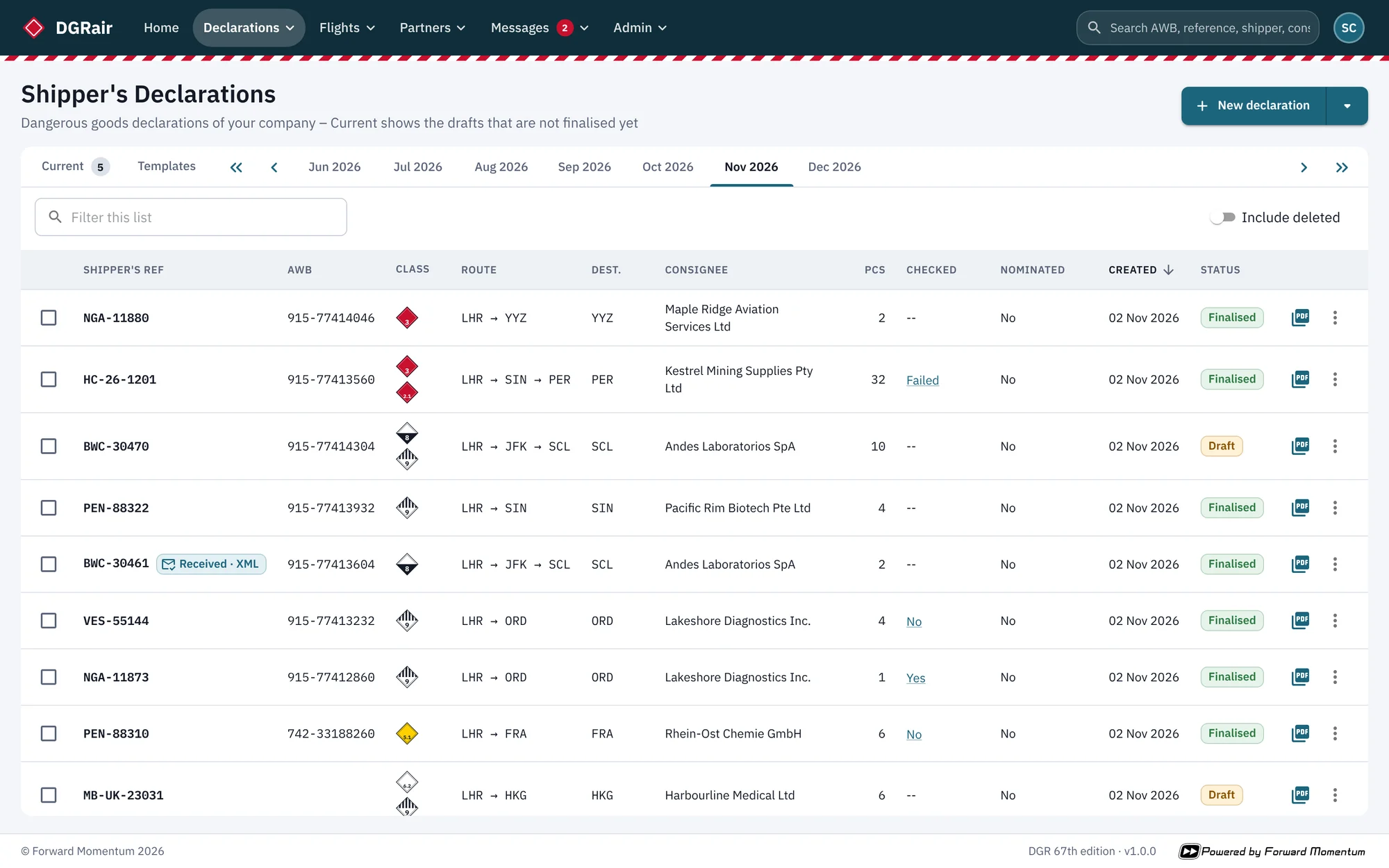
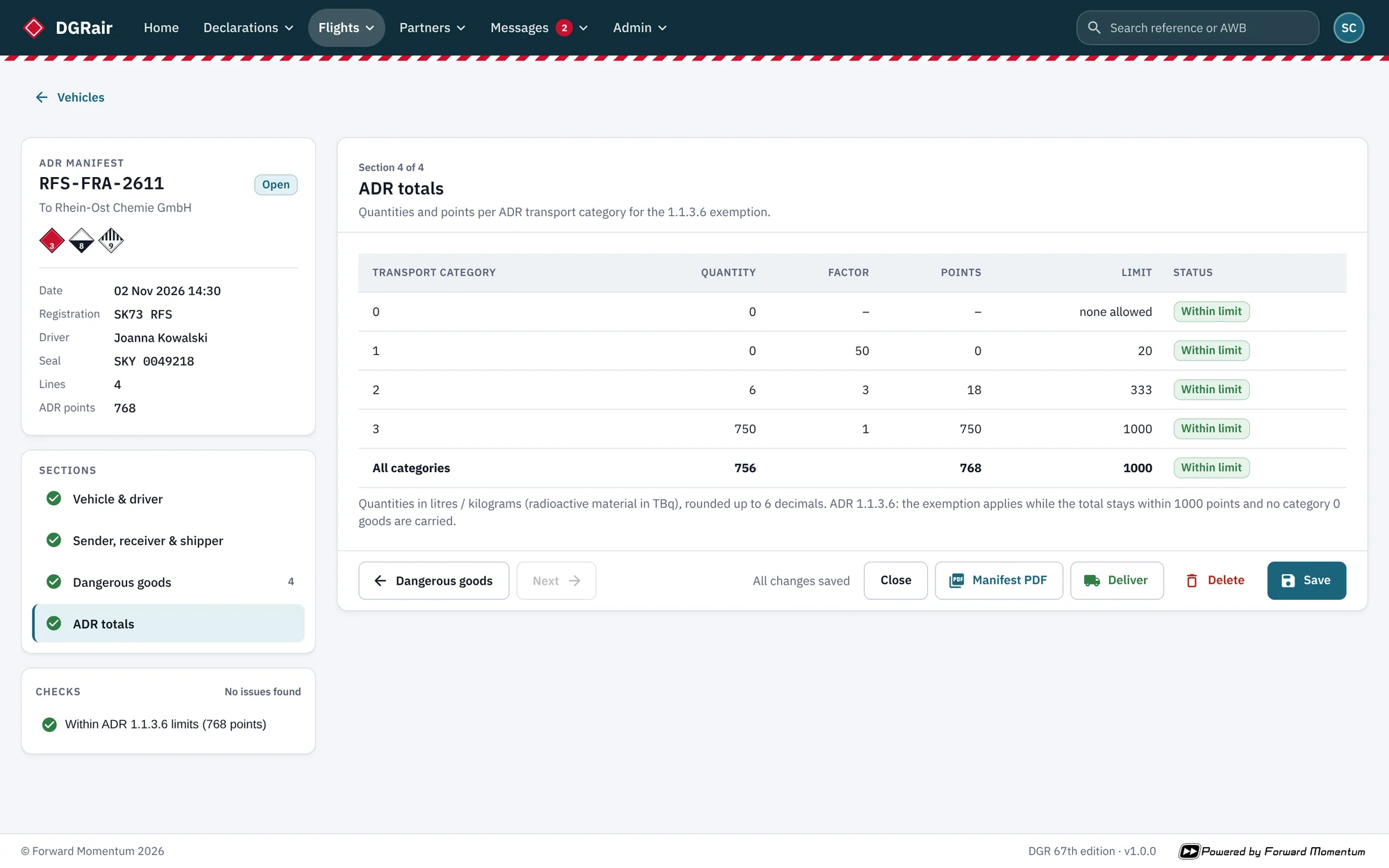
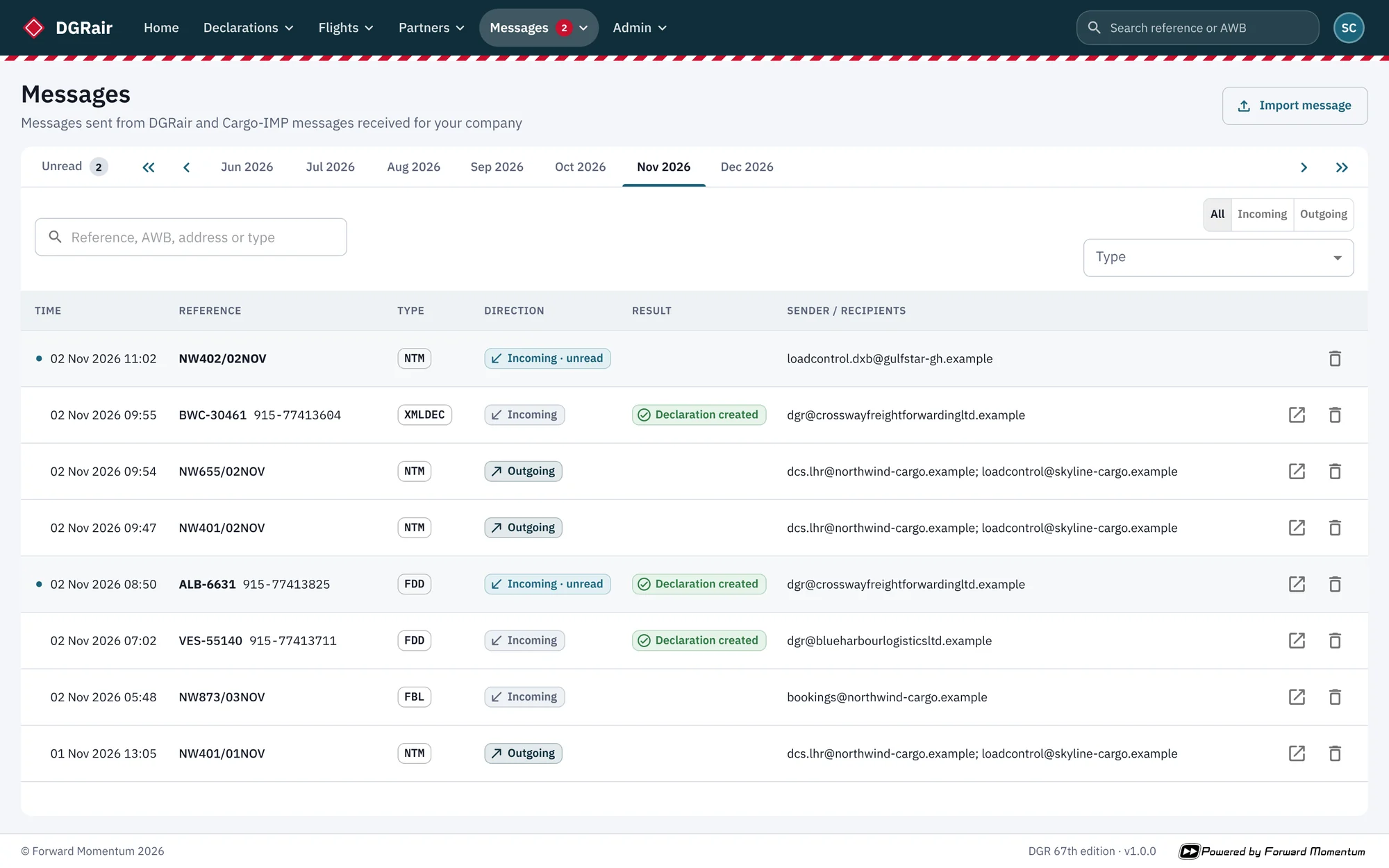
Augmented by AI
AI in DGRair
AI does the reading, checking and spotting. Your team makes the decisions.
Paper declarations scanned
Photograph or upload a paper Shipper's Declaration and DGRair turns it into a new electronic declaration.
Likely errors flagged
Fields that look wrong are highlighted with the rule they break, before the formal checks run.
People stay in charge
The rules engine and your acceptance staff make every acceptance decision. AI only prepares and flags.
What makes DGRair different
Most dangerous goods tools stop at checking the declaration. DGRair carries the data through to the aircraft.
- Document and cargo checklists built automatically from the UN numbers on each declaration
- Creates NOTOCs independently, not just from its own declarations
- Receives NOTOCs and DGSDs electronically and re-uses the data
- Acceptance checklists configured per airline from a library of checks
- Airline special provisions database built in
- Covers both air and road (ADR) dangerous goods
Get in touch
Contact us
Questions, comments or a request to see DGRair working? Send us a message and we'll reply within one working day.
- Use the form
- Phone
- Use the form
- Address
- PO Box 84, Wokingham, Berkshire RG40 4BA, United Kingdom